
arcgis api for javascript4.x下载安装部署
目录
arcgis api for javascript api下载安装部署
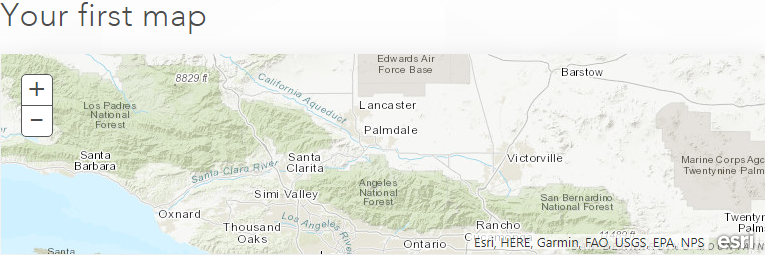

开发API下载
官方下载地址
https://developers.arcgis.com/downloads/apis-and-sdks

如果需要帐号,注册一下。

百度网盘下载地址
- api链接:https://pan.baidu.com/s/1jzBJSSjY-3g-MZmhagKdPA 密码:81bz
- 文档链接:https://pan.baidu.com/s/1CcFui85q-PrTVcRow9a3iA 密码:rs7o
开发API安装部署
下载完成,需要把api部署在服务器中,可以是tomcat、iis等
在library/downloads文件夹下有配置教程,如果不明白可以简单配置如下
- 拷贝api文件到服务器目录下
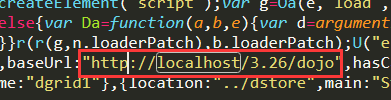
- 分别找到dojo.js, init.js文件,编辑器打开搜索[HOSTNAME_AND_PATH_TO_JSAPI],替换成服务器目录,

测试代码(清理浏览器缓存)
<!DOCTYPE HTML>
<html>
  <head>
    <meta http-equiv="Content-Type" content="text/html; charset=utf-8"/>
    <title>Test Map</title>
    <link rel="stylesheet" href="http://localhost/3.26/esri/css/esri.css" />
    <script src="http://localhost/3.26/init.js"></script>
     <script src="http://localhost/3.26/dojo/dojo.js"></script>
    <style>
      html,
      body,
      #map {
        height: 100%;
        width: 100%;
        margin: 0;
        padding: 0;
      }
    </style>
    <script>
      require([
          "esri/map",
          "esri/layers/ArcGISTiledMapServiceLayer",
          "dojo/domReady!"
      ],function(Map, ArcGISTiledMapServiceLayer) {
          var map = new Map("map");
          //If you do not have Internet access then you will need to point this url to your own locally accessible tiled service.
          var tiled = new ArcGISTiledMapServiceLayer("https://services.arcgisonline.com/arcgis/rest/services/Ocean/World_Ocean_Base/MapServer");
          map.addLayer(tiled);
      });
    </script>
  </head>
  <body>
    <div id="map"></div>
  </body>
</html>


官方文档实例
官方API由于服务器在国外,查看速度比较慢,可以把Documentation下载下来部署在本地服务器下进行访问。可以放到api文件夹下,不需要配置dojo init文件。