Skip to content
  • 首页
  • GIS理论
  • 二次开发
    • deck.gl
    • leaflet
    • openlayers
    • mapboxgl
    • 百度地图开发
    • ArcPy
    • ArcEngine
    • geotools
    • QGIS
    • cesium
    • ArcGIS
      • arcgis api for javascript
        • ArcGIS API For JavaScript官方文档
        • 3.x
        • 4.x
      • ArcGISServer
  • 算法
    • GDAL
    • PROJ
    • OGR
    • Geotrellis
  • GIS前沿
    • GIS+BIM
    • GIS人工智能
    • GIS大数据
    • GIS新闻
  • 数据分析
  • 前端
    • JavaScript
    • vue
    • es6
    • CSS
    • html5
  • 后端
    • C#
    • Java
    • redis
    • nodejs
    • Python
      • Python教程
      • Scrapy教程
      • Python数据分析
      • pyspider
  • 操作系统
    • windows
    • centos
    • ubuntu
    • macos
  • 数据库
    • PostGreSQL
    • MongoDB
    • Oracle
      • oraclespatial
    • MySQL
  • GIS数据
    • 数据源
    • ArcMap
    • CAD
    • Current Page Parent GeoServer
  • 精选专区
  • 开发工具
  • GIS分析
  • GIS软件
  • 数据中心
  • 源码
  • 登录
  • 注册
  • 版权说明

GIS开发者

gis,openlayers,leaflet,gis应用,geoai,geoserver,cesium,python,arcpy,arcmap,webgis,gis可视化

  • 首页
  • GIS理论
  • 二次开发
    • deck.gl
    • leaflet
    • openlayers
    • mapboxgl
    • 百度地图开发
    • ArcPy
    • ArcEngine
    • geotools
    • QGIS
    • cesium
    • ArcGIS
      • arcgis api for javascript
        • ArcGIS API For JavaScript官方文档
        • 3.x
        • 4.x
      • ArcGISServer
  • 算法
    • GDAL
    • PROJ
    • OGR
    • Geotrellis
  • GIS前沿
    • GIS+BIM
    • GIS人工智能
    • GIS大数据
    • GIS新闻
  • 数据分析
  • 前端
    • JavaScript
    • vue
    • es6
    • CSS
    • html5
  • 后端
    • C#
    • Java
    • redis
    • nodejs
    • Python
      • Python教程
      • Scrapy教程
      • Python数据分析
      • pyspider
  • 操作系统
    • windows
    • centos
    • ubuntu
    • macos
  • 数据库
    • PostGreSQL
    • MongoDB
    • Oracle
      • oraclespatial
    • MySQL
  • GIS数据
    • 数据源
    • ArcMap
    • CAD
    • Current Page Parent GeoServer
  • 精选专区
  • 开发工具
  • GIS分析
  • GIS软件
  • 数据中心
  • 源码
  • GeoServer

geowebcache配置

by giser · 2019-04-02

目录

  • geowebcache
  • 环境
  • 配置
  • geowebcache相关
  • geoserver gwc配置
  • 访问测试


geowebcache

环境

  1. jdk8
  2. apache-tomcat-9.0.13
  3. geoserver 2.14.1
  4. geowebcache

配置

geowebcache相关

  • users.properties

    修改用户名密码admin=geoserver

    admin=geoserver,ROLE_ADMINISTRATOR
    
  • web.xml

    添加一条数据配置存放位置

     <!-- 增加数据存放位置 -->
       <context-param>
            <param-name>GEOWEBCACHE_CACHE_DIR</param-name>
            <param-value>D:\\dev\\新建文件夹\\apache-tomcat-9.0.13\\webapps\\geoserver\\data\\gwc</param-value>
        </context-param>
    

geoserver gwc配置

  • apache-tomcat-9.0.13\webapps\geoserver\data\gwc\geowebcache.xml

    添加具体的arcgis松散型切片数据存放位置

   <layers>
		<arcgisLayer>
            <name>tiles_test</name>
            <tilingScheme>D:\\dev\\Layers\\Conf.xml</tilingScheme>
            <tileCachePath>D:\\dev\\Layers\\_alllayers\\</tileCachePath>
            <hexZoom>true</hexZoom>
        </arcgisLayer>
  </layers>

访问测试

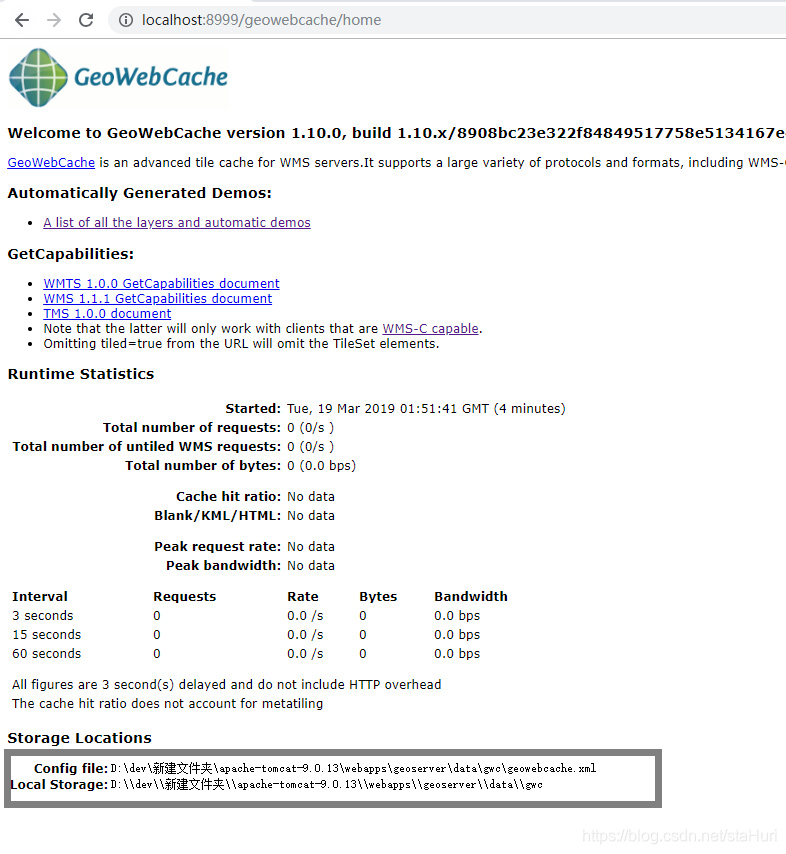
  • 灰色框中内容为设置地址即为成功配置

1552960621736

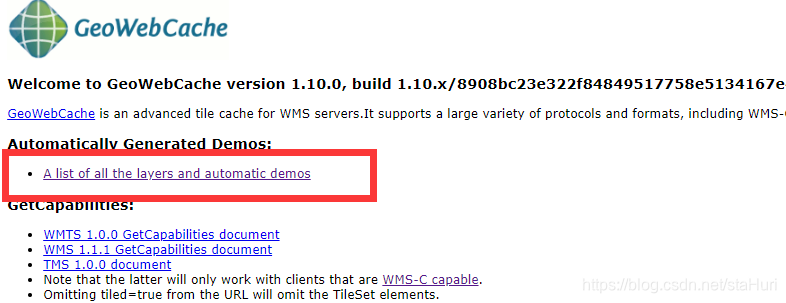
  • 点击红色框内

    1552960665894

  • 红色框内 layername 是我们在geoserver gwc下配置的name
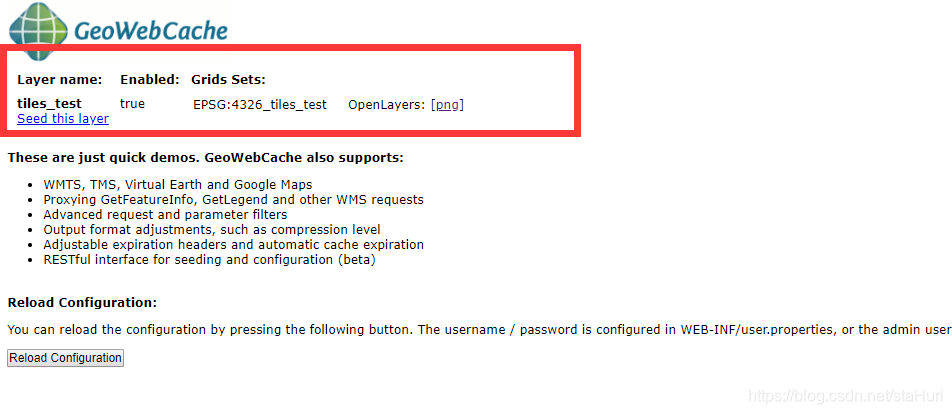
1552960683188

  • 点击png

    1552960757747

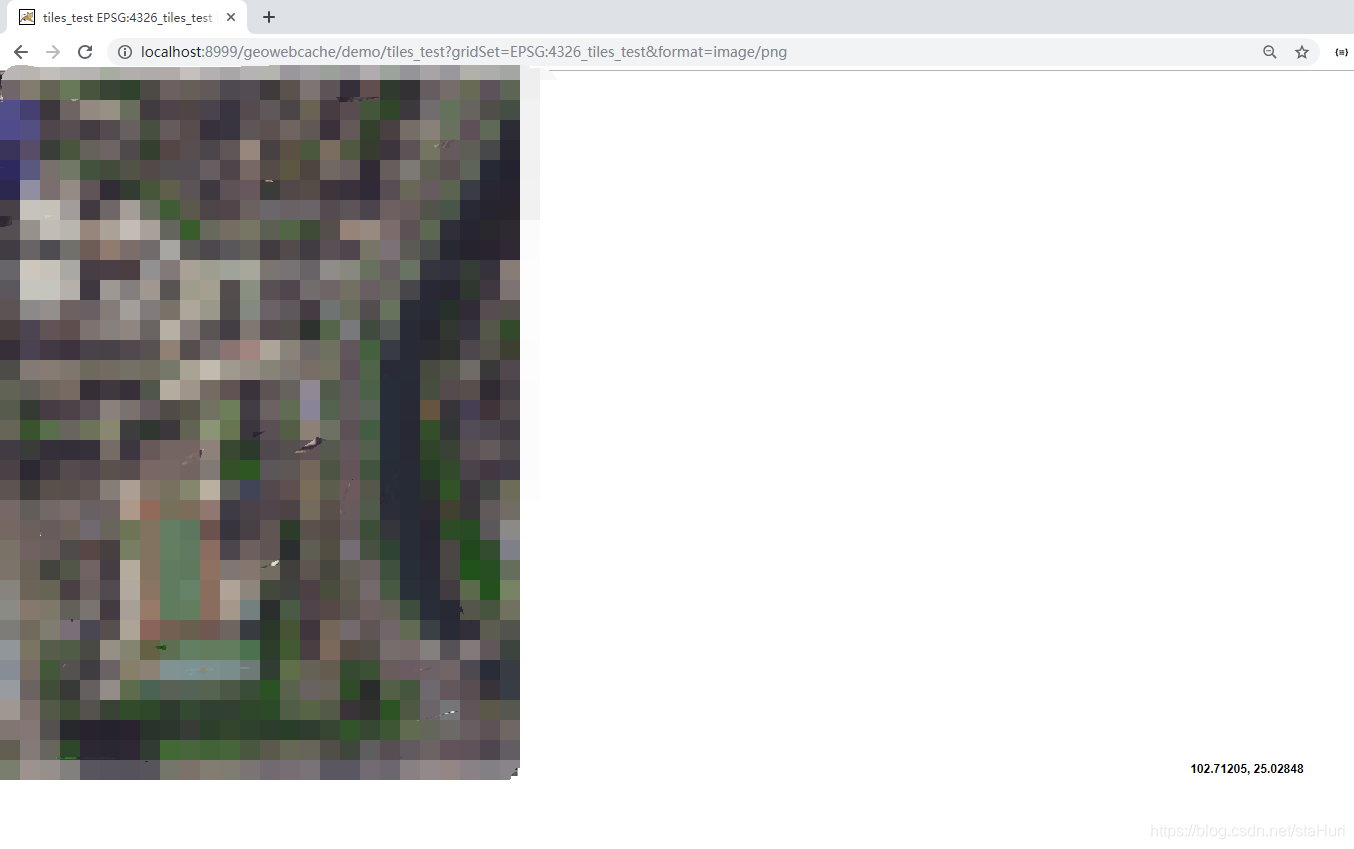
  • 看到下图访问成功

1552960846312

转载自:https://blog.csdn.net/staHuri/article/details/88655666

Tags: geoservergeowebcache配置

  • Next story 客户端对HDFS的操作
  • Previous story [转]GeoServer概念

You may also like...

  • 矢量切片应用中geoserver与geowebcache分布式部署方案

    2019-04-02

  • geoserver 文件样式 转发

    2019-04-02

  • CQL and ECQL

    2019-04-02

公众号

微信群

人数过多只能拉人进群;

加我好友yu389741

微信小程序

GIS开发者
京ICP备 18040113号
  • CSDN
  • GeoAI
  • 中国程序员
  • 博客园
  • 站点地图
  • 吾爱地理
  • 地理导航

GIS开发者 © 2026. All Rights Reserved.

Powered by WordPress. Theme by Alx.